Animaly Bar

Animaly Bar Bugs, Fixes and Known Issues

The Animaly Bar bugs with a developer answer are the black bars and getting stuck on a stool. The black bars during play are a cinematic crop, the developer says, not a fault in your setup. Getting stuck on a bar stool is a physics problem the developer confirmed; the game saves at the start of each day, so you can reload that save. There is no endless mode.

Last checked 2026-09-20

What are you seeing?

The intro and loading screens fill the screen, but during play the picture has black bars above and below it.

By design

Details and sources

Known Animaly Bar bugs and open questions

Black bars at the top and bottom of the screen

The intro and loading screens fill the screen, but during play the picture has black bars above and below it.

What the sources say

The black bars are a cinematic crop, so nothing is wrong with your setup. The developer added that a setting to remove the crop would come in an update the following week.

Our summary of a reply written in Turkish.

Developer reply: Developer reply on Steam: black bars during gameplay, collected 2026-09-20 (opens in a new tab)

Status

By design

A setting to turn the crop off was planned. No official post mentions it as of 2026-09-20.
Stuck on a bar stool

After you put the stools down to start the day, your character can get stuck on a stool and cannot move away.

What the sources say

“…due to the physics system, your character may be stuck on the stool.” The game saves automatically at the start of each day, so you can continue from that save.

Developer reply: Developer reply on Steam: stuck on a stool, collected 2026-09-20 (opens in a new tab)

Status

Confirmed bug

No fix announced as of 2026-09-20.

What to do: Load the automatic save from the start of that day.

Replies and posts as collected on 2026-09-20. A newer patch may have changed any of this; check the updates page for official posts.

The cinematic crop: what the Animaly Bar black bars look like

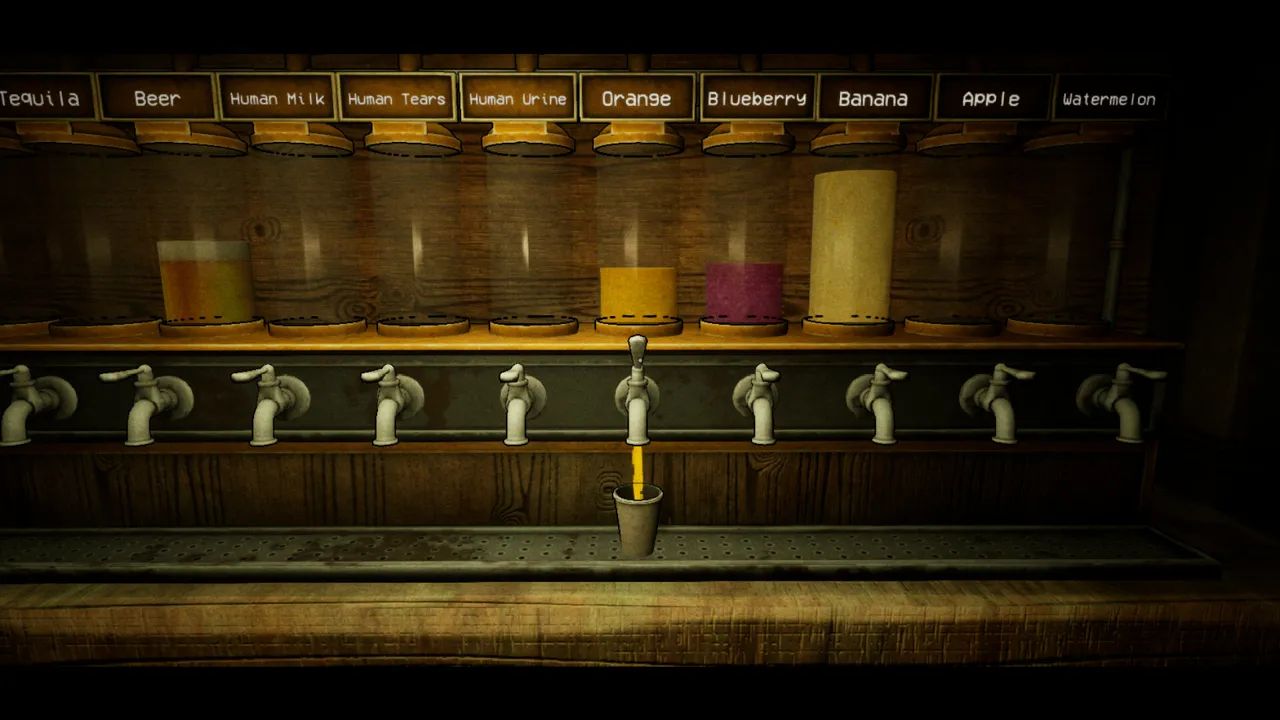
The bars are in the official store screenshots too. Every gameplay screenshot on this site has a black band at the top and the bottom, each about 7% of the picture's height, like this shot of the drink taps. The player who reported it saw the intro and loading screens fill the screen and the bars appear only once play started. The developer's reply says the crop is the same for everyone, so bars like these do not mean something is wrong with your monitor or settings.

The row of drink taps behind the bar, labeled from Tequila and Beer to Human Tears and Watermelon, with a cup filling with orange, and black bands above and below the picture
An official store screenshot of the drink taps. The black bands at the top and bottom are the cinematic crop. Image: © Domnaier, official Steam store screenshot.

Other Animaly Bar bugs players reported

These Animaly Bar bugs are single reports from the Steam discussions. Each one is one player's experience, not a bug we have reproduced ourselves.

A drink with ice would not take a straw

During the demo, one player could not add the straw to a drink with ice and had to refill the cups to get past it. The developer replied that it was the first time they had heard of it, that it should normally work, and that it was probably the ice drink Pug orders on Day 2. The same player asked for Escape to close the computer and the recipe book, an option to turn off the gorilla's noise while moving, and a zoom feature.

French text needs work

A French Canadian player wrote after Day 1 that the French translation could be better, and offered to help.

No controller support listed

The store page lists Single-player, Steam Achievements and Family Sharing, but not controller support. A player asked before release whether it is planned; we found no reply.

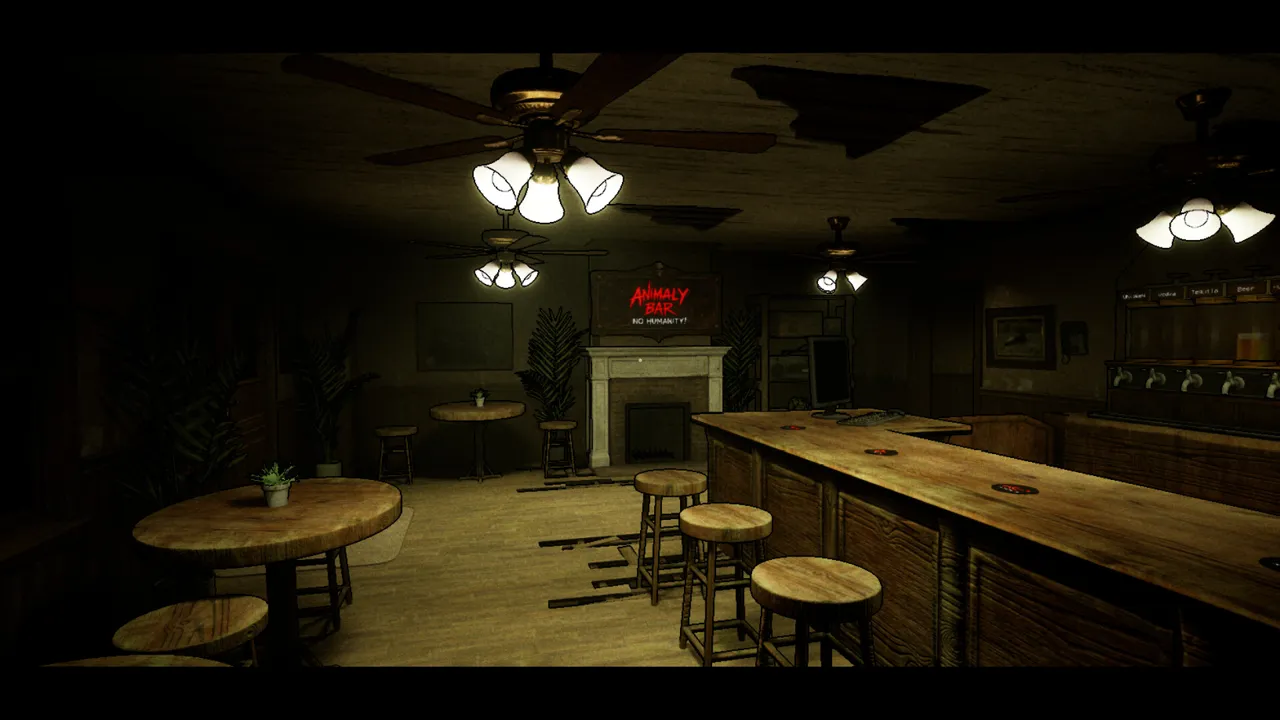
The empty bar before opening, with round tables, bar stools and the counter
The bar before a shift. The stool report on Steam came right after the player put the stools down to start the day. Image: © Domnaier, official Steam store screenshot.

Before you report Animaly Bar bugs: settings and PC checks

Settings that help: FPS limiter and camera shake

Devlog #4, a demo update on May 19, added an FPS limiter and a camera shake toggle, along with fixes for audio and subtitle bugs. If you want to cap the frame rate or the camera shake bothers you, look for those two settings. They were added to the demo; we have not opened the full game's settings menu ourselves.

The game saves automatically at the start of each day, the developer says. When something breaks mid-shift, reloading that save costs you only the current day.

Animaly Bar system requirements

Before you report crashes or slowdowns as Animaly Bar bugs, check your PC against the store's requirements. The game is Windows only.

  • Minimum: 64-bit Windows 10, Intel Core i5-6600K or AMD Ryzen 3 1200, 4 GB RAM, GTX 1050 Ti or RX 560, 4 GB of storage.
  • Recommended: 64-bit Windows 10, Intel Core i7-8700K or AMD Ryzen 5 3600, 8 GB RAM, GTX 1660 or RX 580.

Where to report Animaly Bar bugs

The launch post asks players to report Animaly Bar bugs in the Steam discussions or on the developer's Discord. The developer has answered bug threads directly, including the stool and black bar reports. A report is easier to act on when it says which day you were on, what you did just before, and whether reloading the start-of-day save helped.

Animaly Bar bugs FAQ

Why are there black bars during gameplay?

They are a cinematic crop, by design. The developer said a setting to remove it would come in an update; no official post mentions it as of 2026-09-22.

I am stuck on a bar stool. What do I do?

Load the automatic save from the start of that day.

Are the Animaly Bar bugs fixed yet?

Not in an announced patch. No official post since launch mentions a fix, as of 2026-09-22.

Does Animaly Bar support controllers?

The store page does not list controller support. A player asked before release whether it is planned; we found no reply.

Which customer couldn't you read?

Tell us which customer you could not place, or where you are stuck. We only publish what we have checked, and what players ask most is what we check in the game next.

The request form is offline right now. Email us what you want checked instead.

Email your request